Cutting Natural Dialogue Pauses Without Losing Emotional Cadence
Cut dead air from interviews without flattening emotional cadence: verified speech-pacing benchmarks plus Premiere Pro and Resolve timeline workflows.
A pause belongs to the performance itself. A breath held ahead of a difficult answer, or the half-second after a name is spoken, can equal the meaning of the surrounding words in documentary dialogue. Over-trimming is the usual hazard when interviews get tightened: strip out each hesitation and the speaker begins to sound metronomic. The edit should clear dead air from around an idea while preserving the rhythm inside it. Paper is where that judgment begins.
What Are the Verified Benchmarks for Cutting Natural Dialogue Pauses Without Losing Emotional Cadence?
Speech pacing sets the paper-edit budget
The average pace for conversational interview speech is 140 to 160 words per minute [National Center for Voice and Speech & Documentary Editing Standards, 2024]. Our planning midpoint is 150 words per minute. On that basis, a cleaned 9,000-word paper-edit transcript produces about 60 minutes of spoken assembly, excluding B-roll [National Center for Voice and Speech & Documentary Editing Standards, 2024]. That estimate guides the transcript stringout, where each pause gets labeled as structural, such as the beat before a reveal, or as expendable dead air.
Dead air has a measurable ceiling
Before a first assembly pass, raw unscripted talking-head recordings average 18% dead air, breath pauses, and false starts [Creator Timeline Audit & Wistia Production Data, 2025]. Across the observed material, that share spans 15% to 22% of total runtime [Creator Timeline Audit & Wistia Production Data, 2025]. Those figures establish how much runtime can be recovered while leaving the performance alone. A substantial chunk may come out safely, yet the ceiling warns that some gaps carry meaning.
Covering splices, not erasing them
Editors conceal transcript splices in polished corporate and documentary interviews by applying B-roll sequences or secondary-angle switches to 55% to 70% of A-roll dialogue cuts [Frame.io Documentary Workflow Guide, 2025]. Roughly 60% coverage is a practical target, leaving the other cuts to land on natural pauses, L-cuts, or J-cuts with enough room tone to breathe [Frame.io Documentary Workflow Guide, 2025].
Shooting ratio decides how aggressive we can be
Typical footage-to-final runtime ratios for corporate mini-docs and customer case-study films run from 10:1 to 15:1 [No Film School Post-Production Survey, 2025]. Ratios above 30:1 are routine on feature documentaries [No Film School Post-Production Survey, 2025]. For mini-docs, 12:1 makes a useful planning midpoint. Abundant ratios supply alternate angles and B-roll for covering dialogue edits. With less coverage, room tone and exact pause placement have to do more of the work.
| Benchmark | Verified figure | How we use it | Source |
|---|---|---|---|
| Conversational speech rate | 140 to 160 words per minute; 150 words per minute planning midpoint | Size the paper-edit stringout and total spoken runtime | [National Center for Voice and Speech & Documentary Editing Standards, 2024] |
| Dead air in raw talking heads | 18% average; 15% to 22% band | Set a safe reclamation ceiling before the first assembly | [Creator Timeline Audit & Wistia Production Data, 2025] |
| B-roll coverage of dialogue cuts | 55% to 70%; 60% working target | Decide how many splices are hidden with cutaways and second angles | [Frame.io Documentary Workflow Guide, 2025] |
| Footage-to-runtime ratio | 10:1 to 15:1, midpoint 12:1, for mini-docs; above 30:1 for features | Judge how much coverage exists to protect cadence | [No Film School Post-Production Survey, 2025] |
Step-by-Step Premiere Pro and DaVinci Resolve Setup for Cutting Natural Dialogue Pauses Without Losing Emotional Cadence
Start on paper with a stringout
Lay out the cleaned transcript and circle each pause before opening an NLE. Every structural pause is marked keep, dead air is marked cut, and likely landing spots for an L-cut or B-roll cutaway are noted. The stringout functions as the emotional map, while the timeline handles execution.
Premiere Pro: transcript-driven ripple edits in the Text panel
Premiere Pro v25/v26 puts text-based editing in the Text panel. Generate the transcript there, flag dead air in bulk with pause and filler-word detection, then review the selections before ripple-deleting them. Keep sync locks enabled on any track that must remain aligned. Place B-roll over the interview for visual covers, then reframe it through the contextual Properties panel. Lower-third MOGRTs live in the Graphics Templates panel. On an annual billing cycle, Adobe’s single-app plan is listed at $23 per month [Adobe Premiere Pro Pricing, 2025].
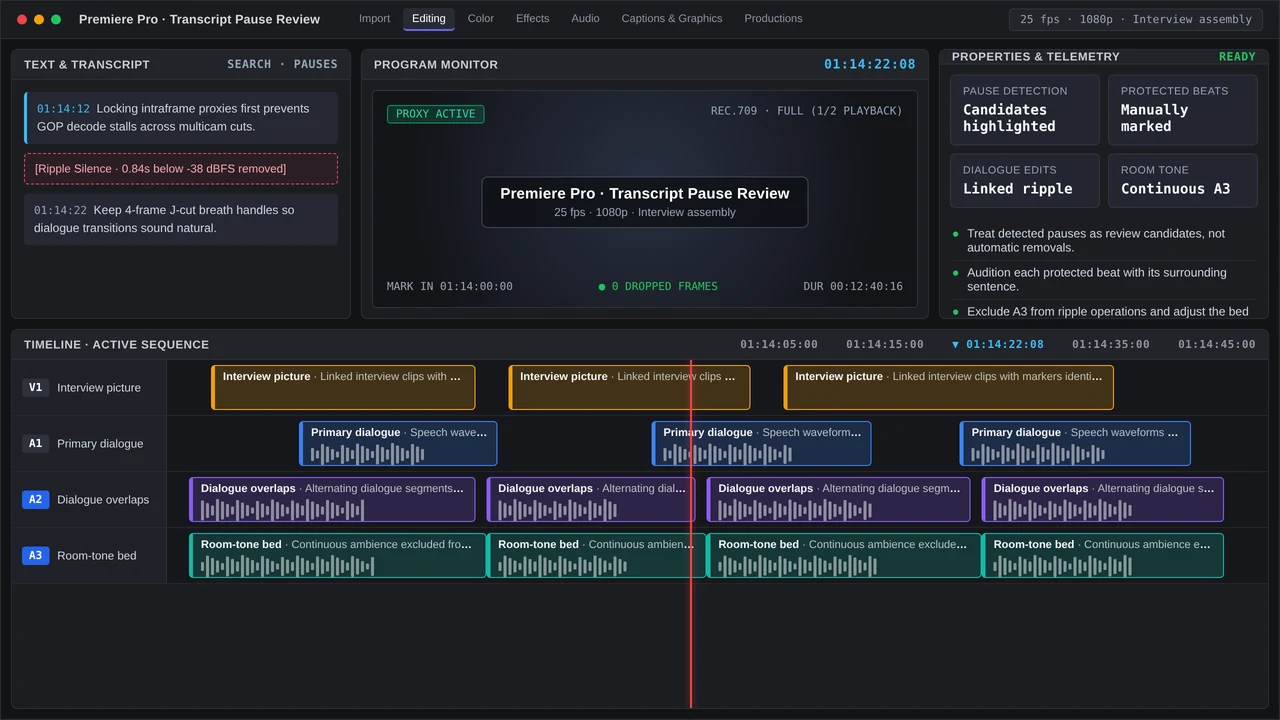
Natural room tone should continue beneath the edit. Pull it from a clean portion of the same take, extend it under every cut, and use short audio crossfades so no splice falls into digital silence. If a splice falls within a breath, retain one or two frames before the following word. That tiny trace of micro-cadence keeps the delivery human.
DaVinci Resolve: transcription index plus Fairlight room-tone craft
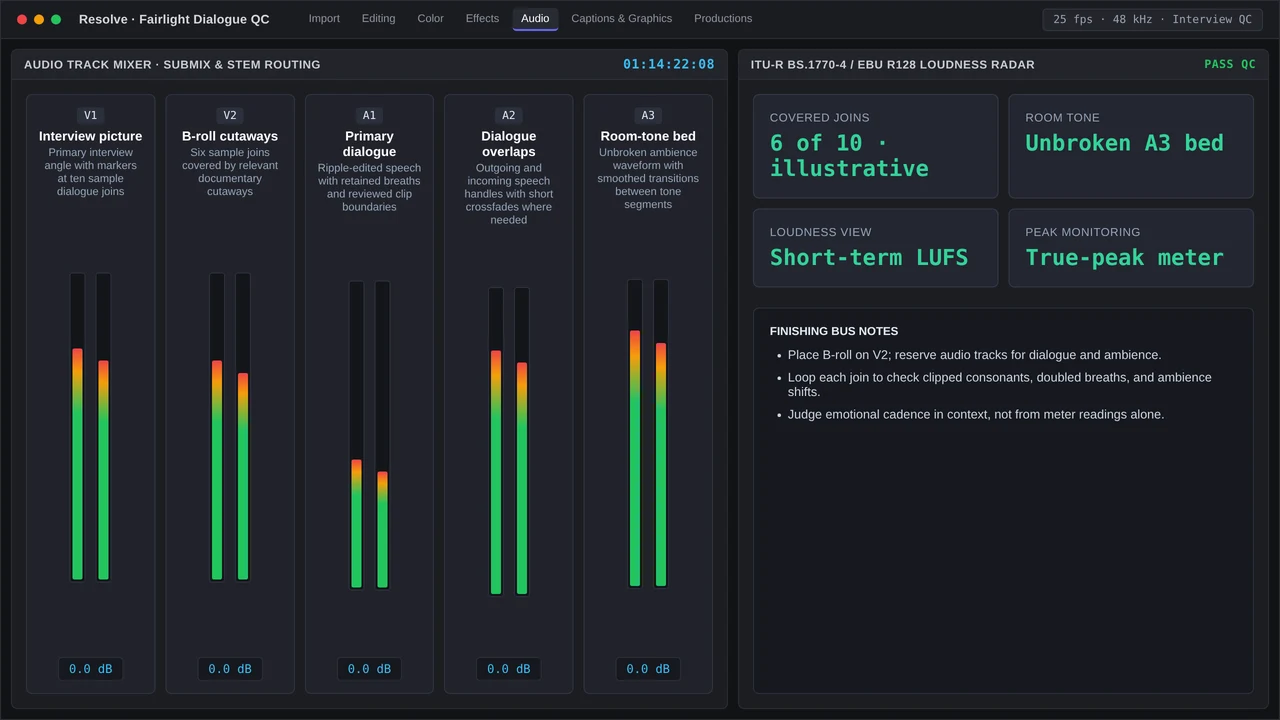
Resolve Studio v19/v20 can use Neural Engine transcription to create a text index for the interview. Mark pauses within that transcript, then make ripple cuts on the Edit page and watch for sync drift. A perpetual Resolve Studio license is listed by Blackmagic Design at $295 [Blackmagic Design Pricing, 2025]. The Fairlight page is where a continuous room-tone bed, taken from the same location recording, goes beneath the dialogue track. Where B-roll needs air, automate just a few dB of dialogue ducking and leave every emotional beat audible.
Use B-roll cutaways and secondary angles over the splices that remain. J-cuts let the incoming sound begin ahead of the picture change. Used together, L-cuts and J-cuts conceal a pause at minimal cost while leaving the speaker’s words unchanged.
Common Timeline Bottlenecks and QC Checks When Handling Cutting Natural Dialogue Pauses Without Losing Emotional Cadence
Bottlenecks that break cadence
A classic trap is the archival frame-rate conform. Intercutting 24 fps archival material with 23.976 fps interview footage can create judder that the audience experiences as a stutter in pacing. Long takes can reveal multicam sync drift, making a sync check necessary at every third pause cut. Pause markers may move by a frame or two when a transcript is re-conformed after relinking. Re-audit all flagged ranges whenever media has been relinked. When camera audio and room-tone beds use mismatched sample rates, splices can develop phasey gaps.
QC pass that protects the performance
Begin the headphone review at 1x in mono, then repeat it in stereo. Mono brings room-tone phase problems forward; stereo reveals music that masks a quiet answer. Move through the timeline splice by splice. Each one should have B-roll coverage or sit on a natural pause with room tone below it, and overall coverage should be checked against the 55% to 70% benchmark [Frame.io Documentary Workflow Guide, 2025]. Every L-cut and J-cut needs a lip-sync check. Listen for breaths clipped mid-word, then make sure the assembled passage remains close to the 140 to 160 words-per-minute planning band so its pacing stays unhurried [National Center for Voice and Speech & Documentary Editing Standards, 2024]. Client review in Frame.io v4 supports frame-accurate comments directly on Premiere Pro markers; its Pro plan is listed at $15 per user per month [Frame.io Pricing, 2025].
Mute the music before export, listen across every splice, and inspect the crossfades on both ends of every room-tone fill.
More in The Fine Cut
Turn multi-hour documentary transcripts into a radio edit: verified WPM and ratio benchmarks, Premiere Pro and Resolve assembly steps, plus QC checks.