Quick Desk Guide: Condensed Radio Edit Assembly From Multi Hour Documentary Transcripts
Turn multi-hour documentary transcripts into a radio edit: verified WPM and ratio benchmarks, Premiere Pro and Resolve assembly steps, plus QC checks.
The paper edit determines whether a condensed radio edit holds together. Before opening a timeline, turn the multi-hour documentary transcript into a stringout: identify clean takes, remove false starts, and use word count to forecast runtime. That boundary keeps a compact assembly from expanding into a sluggish feature-length listen.
What Are the Verified Benchmarks for Condensed Radio Edit Assembly From Multi Hour Documentary Transcripts?
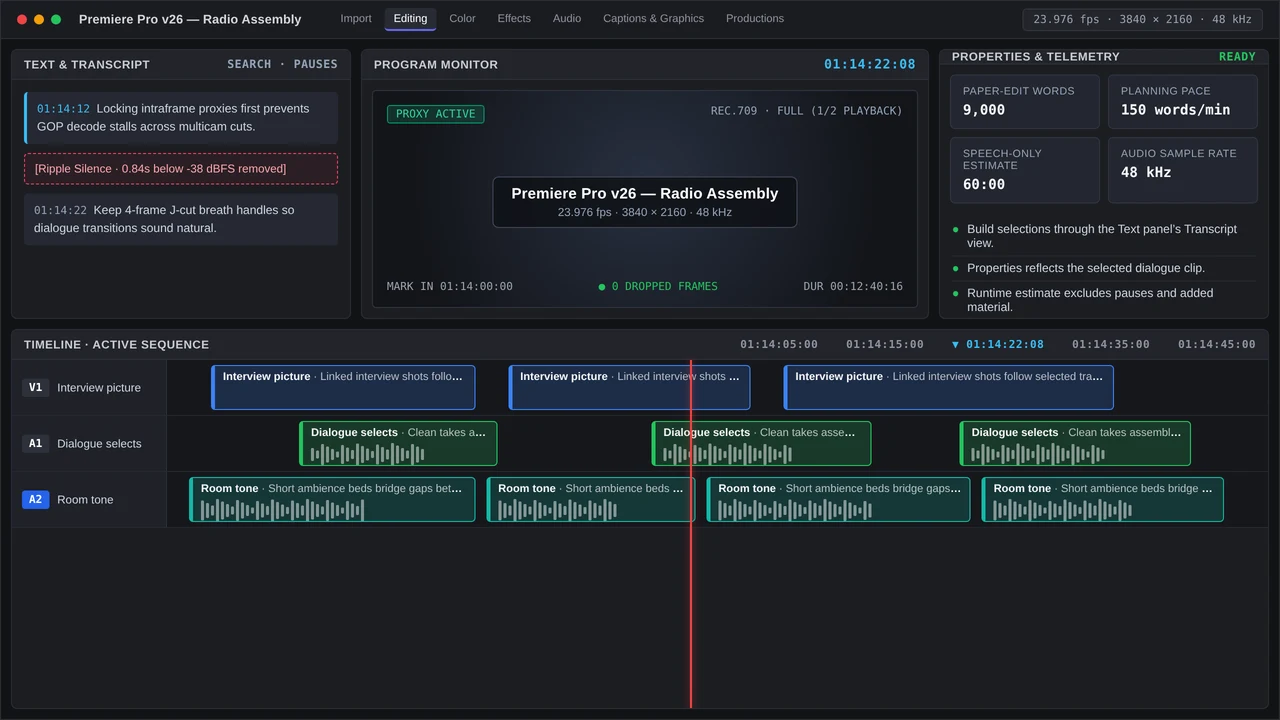
Begin with the pace of speech. Spoken interviews in a conversational register average roughly 140 to 160 words each minute [National Center for Voice and Speech & Documentary Editing Standards, 2024]. A cleaned paper edit containing 9,000 words therefore produces about 60 minutes of speech at that rate, with B-roll still to come.
Next, the shooting ratio indicates how much source media sits behind that hour. Corporate mini-documentaries and customer case-study films generally capture footage at 10:1 to 15:1 relative to finished runtime [No Film School Post-Production Survey, 2025], while feature documentaries often run above 30:1.
Reserve splice coverage during planning. In polished interview material for corporate films and documentaries, B-roll sequences or secondary-angle switches typically conceal 55% to 70% of A-roll dialogue cuts and hide joins made in the transcript [Frame.io Documentary Workflow Guide, 2025].
Cleanup needs a separate allowance. Ahead of any initial assembly, false starts, breath pauses, and dead air average 15% to 22% of raw, unscripted talking-head recordings [Creator Timeline Audit & Wistia Production Data, 2025].
| Benchmark | Verified range | Desk use |
|---|---|---|
| Speech pacing | 140–160 words/min | Predict runtime from transcript word count |
| Shooting ratio | 10:1–15:1 mini-doc; 30:1+ feature | Size the media pool before conform |
| Splice coverage | 55%–70% of dialogue cuts | Reserve B-roll and second angles |
| Dead air in raw takes | 15%–22% | First-pass filler and pause trim |
Step-by-Step Premiere Pro and DaVinci Resolve Setup for Condensed Radio Edit Assembly From Multi Hour Documentary Transcripts
Start in Premiere Pro v25/v26 by transcribing source clips through the Text panel; a cleaned paper edit then directs bulk pause and filler removal. Choose the retained transcript ranges and place them on the timeline to form the stringout. Adjust scale and audio volume clip by clip in the contextual Properties panel. For a video version, construct titles with Premiere’s Graphics Templates panel. Frame.io v4 also places timecoded review comments on Premiere markers for remote sign-off.
With DaVinci Resolve Studio v19/v20, apply Neural Engine transcription to clips in the media pool, then use transcript selects to assemble the radio timeline. Fairlight handles the mix and QC: for podcast delivery, bring levels to roughly -16 LUFS, keep continuous room tone beneath every cut, and inspect each splice on its waveform. Reserve Color for conforming the video.
Use one slug scheme in both applications, conform through an AAF or XML export, and rely on Frame.io v4 to stack versions and ingest proxies. Its role covers review and asset transfer; live shared editing remains outside that scope.
| Tool | Hosts | Price (USD) | Core use here |
|---|---|---|---|
| Premiere Pro v25/v26 | macOS, Windows | $23/mo single app | Text panel stringout, Properties panel, Graphics Templates |
| DaVinci Resolve Studio v19/v20 | macOS, Windows, Linux | $295 perpetual | Neural Engine transcript, IntelliTrack, Fairlight room tone and loudness QC |
| Frame.io v4 | Web + Premiere/Resolve | $15/user/mo | Timecode comments, version stacking, proxy ingest |
| Excalibur (Knights of the Editing Table) | Premiere Pro | $100 one-time | Command launcher, instant nesting, gain normalization macros |
Common Timeline Bottlenecks and QC Checks When Handling Condensed Radio Edit Assembly From Multi Hour Documentary Transcripts
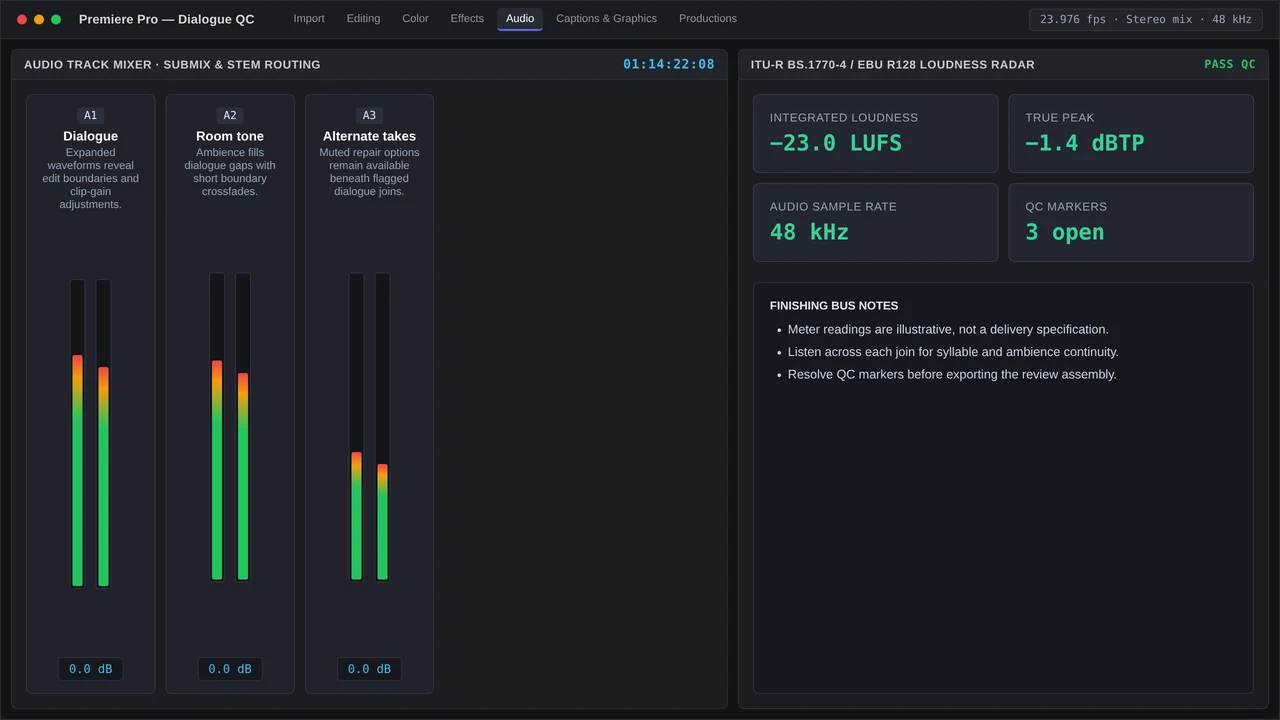
The splices are where bottlenecks tend to accumulate. Editing from a transcript may produce a join that is audible along with a visible jump in picture, so judge the audio by ear and compare every B-roll cover with the coverage target established above. Watch for several additional problems: changes in room-tone character from take to take, marker drift following a conform, recorder audio and timeline sample rates that disagree, and oversized stringouts that slow scrubbing.
Complete a QC pass prior to export. Listen to the soloed dialogue from beginning to end for popped breaths and repeated syllables, and inspect a zoomed waveform at each cut to keep splices away from transients. Check that runtime still agrees with the paper edit’s word count at the verified pace. Normalize loudness to approximately -16 LUFS using true-peak limiting, then compare sampled markers with the transcript. For web chapter delivery, provide a minimum of 3 timestamps, put the first at 00:00, and give every segment a duration of 10 seconds or more [Google YouTube Help Documentation, 2025].
For the last review, solo dialogue and room tone together and listen through every splice.
More in The Fine Cut
Cut dead air from interviews without flattening emotional cadence: verified speech-pacing benchmarks plus Premiere Pro and Resolve timeline workflows.